Booking: Clients book themselves. Day and night.
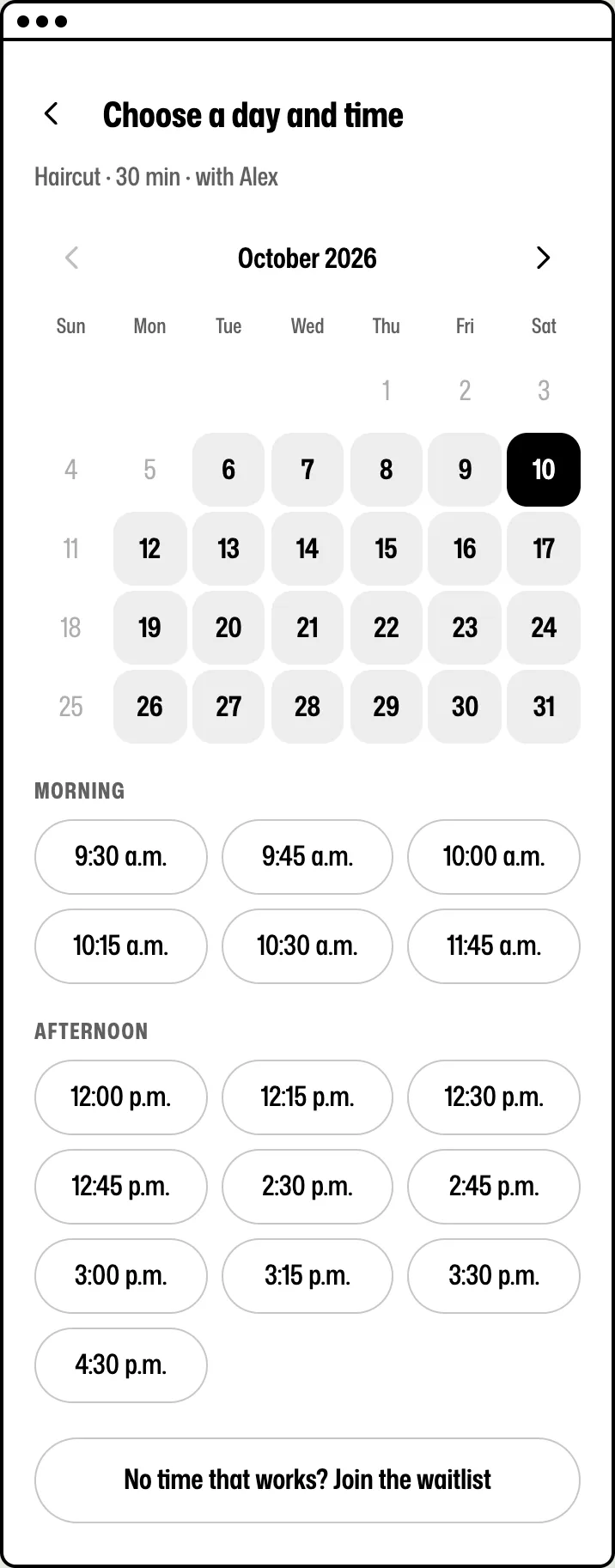
Booking is where Rndez starts. Clients pick a service, a person and a free time from your link. Rndez sends the reminders. Your calendar fills while you work.
Free for 30 days. No credit card.
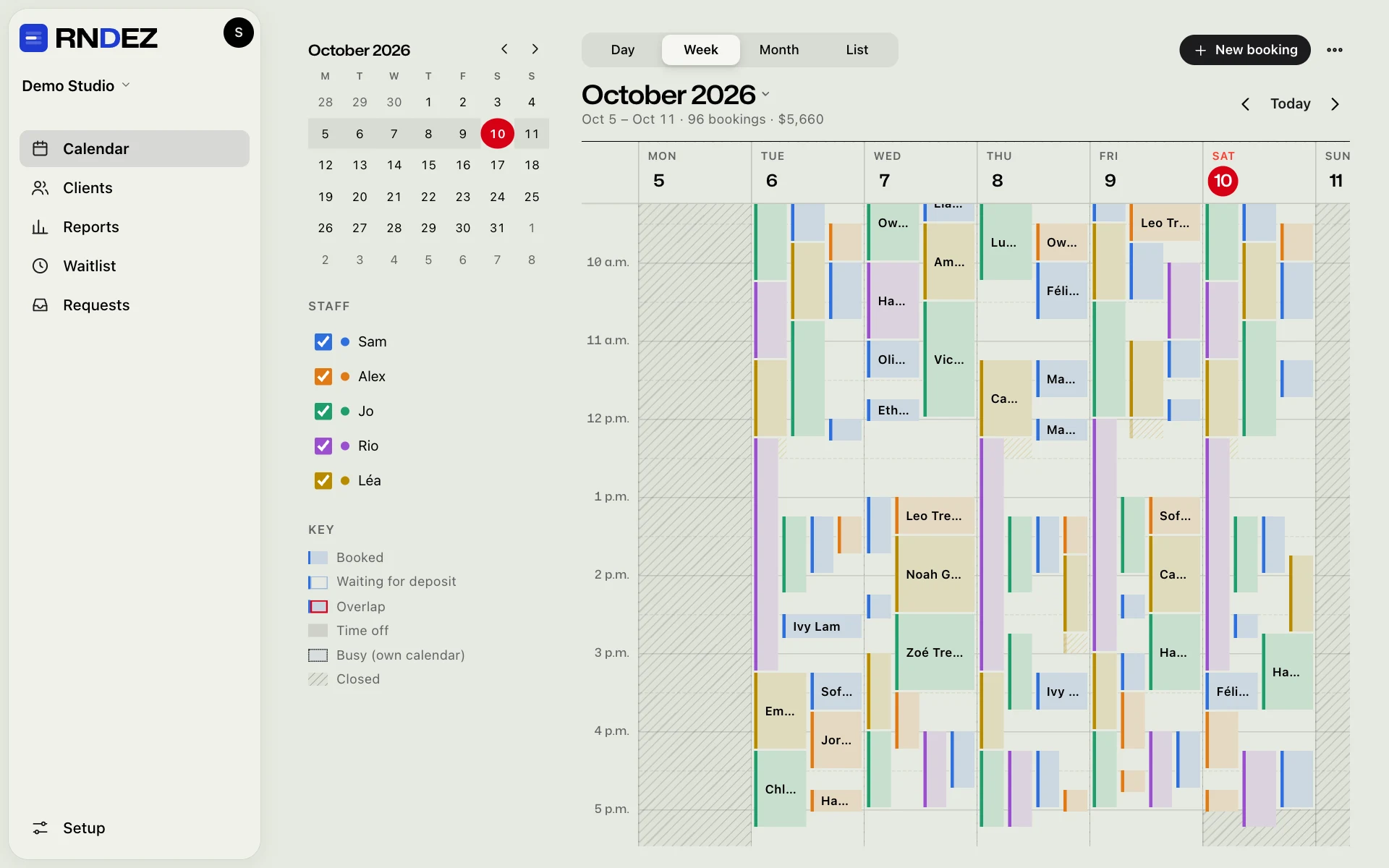
What Booking does
Calendar
Day, week, month and list. One colour per person. Drag a booking to move it. Your Google, Apple or Outlook calendar can block your busy times.
Online booking
A booking page with its own link, and a booking box for your website. Clients need no app and no password. Deposits only on the services you pick.
Reminders
A confirmation right away and a reminder before the visit, by email and by text. Clients move or cancel from their link, inside your rules.
Fill my chair
Someone cancels? People on the waitlist get a message. A quiet afternoon? Tell the regulars who are due back, in one tap.
Request forms
Set a service to “request first”: the client sends an idea and up to 3 photos, you answer with a price, a length and a deposit. Ask your own questions when they book.
AI booking
The AI chat in your booking box answers questions and books, once you turn it on. Clients can also book you through their own AI, like ChatGPT or Claude.
Reservations New
For restaurants and cafés: guests pick how many people, then a time. You set the seats, the pace and how long a table takes.
Classes and rooms
One time, many clients, with the spots left on show. Rooms and machines are booked only when the person and the room are both free.
Who uses it
The price: Included in both prices: $19 CAD a month (about US$14) and $49 CAD (about US$36). No fee per client. See pricing →
The rest of Rndez
Questions
Do my clients need an app or an account?
No. They book from your link. No password. Nothing to download.
Can I take deposits?
Yes. You pick which services need one, and how much. Clients pay by card when they book. The money goes to your own Stripe or Square account.
Can clients cancel or move on their own?
Yes, from the link in their email. You set the rules. Cancel before your cut-off (24 hours unless you change it) and the deposit comes back. After that, you keep it.
Can my personal plans block times?
Yes. Paste the private link of your Google, Apple or Outlook calendar. Your busy times are blocked. Your bookings can also show in that calendar.

Send your link. Let clients book themselves.
Add your services and hours. Share your link. You’re open for booking.
Free for 30 days. No credit card.